Touchscreen Operation Guide
The equipment features a bilingual (Chinese/English) visual interface designed for intuitive and user-friendly operation. Below is a detailed breakdown of the functions and operational methods for each core page of the touchscreen, tailored for users with varying levels of proficiency.
1、 Home Page
As the starting point for device operation, the primary function of this page is language selection. Users can choose between Chinese or English based on their preference. After confirming the selection, the interface will switch to the chosen language, and all subsequent pages will display accordingly
2、 Auto Page
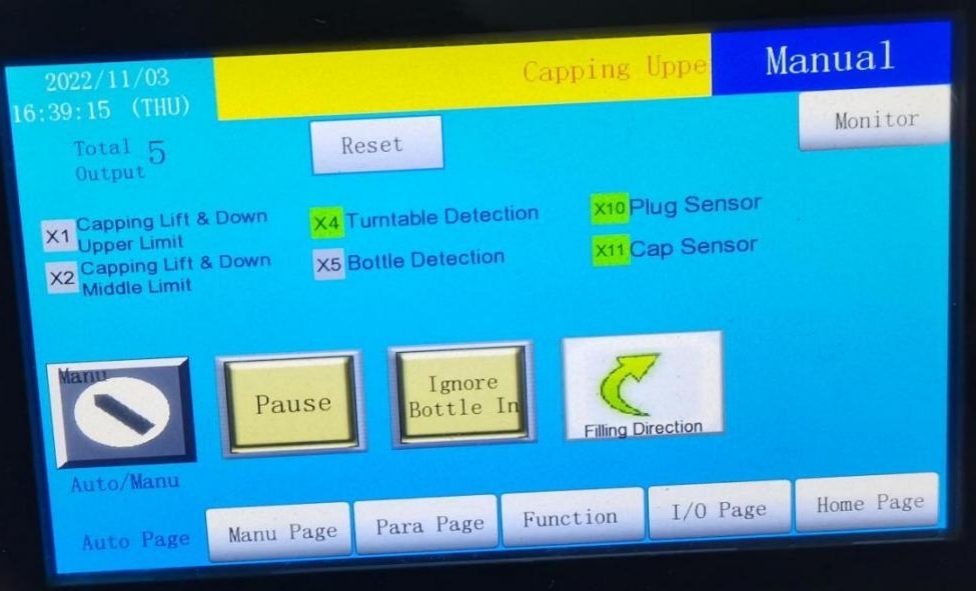
This page is used to activate the automatic operation mode and is central to batch production. Key displays and functions include:
1.Real-Time Data Display: Shows total production output (with reset capability) for easy production tracking.
2.Status Monitoring: Uses indicator lights to show the real-time status of the peristaltic pump, capping system, and sensors. Green indicates normal operation, while red signals an abnormality and triggers an alarm.
3.Smart Interlock Logic: Built-in error prevention mechanisms automatically stop filling when no bottle is detected and trigger an alarm or pause operation when no cap is present, minimizing material waste and preventing equipment malfunctions.
3、 Manual Page
Ideal for functional testing, troubleshooting, or small-batch production, this page allows independent control of individual components without activating the automatic mode, offering greater operational flexibility:
1.Turntable Control: Supports switching between continuous rotation and jog mode for precise bottle positioning.
2.Peristaltic Pump Control: Enables single-cycle quantitative filling for testing accuracy or small-scale trials.
3.Other Controls: Allows independent start/stop operations for the capping servo motor and lifting cylinder, facilitating individual component adjustments.
4、Parameter Page
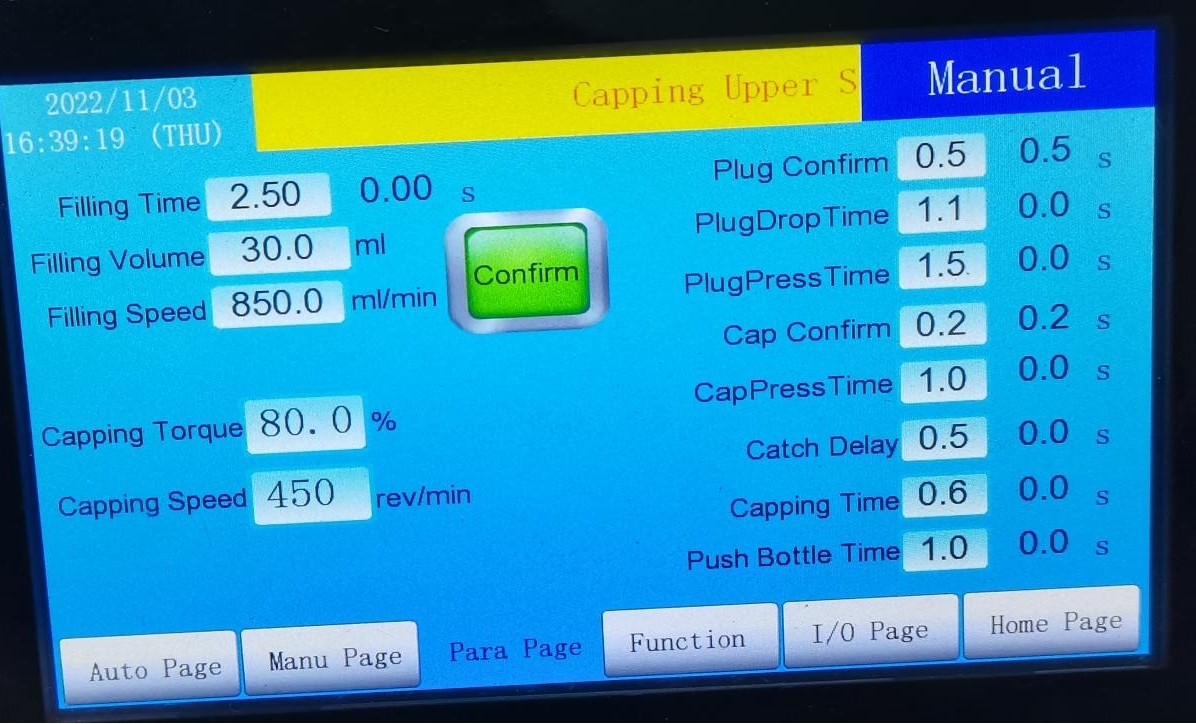
Used to customize equipment operating parameters to accommodate different product specifications and bottle types. Key notes include:
1.Adjustable Parameters: Filling volume, filling speed, capping torque, and interval times between processes can be precisely set based on product requirements.
2.Parameter Saving: After setting the filling volume and speed, press and hold the 【Confirm】 button for 2 seconds until the screen displays “Save Successful.” Otherwise, the settings will not take effect.
3.Testing and Calibration: After saving parameters, always perform single-cycle filling and capping tests via the Manual Page to verify accuracy before batch production to avoid defective outputs.
5、Recipe Page
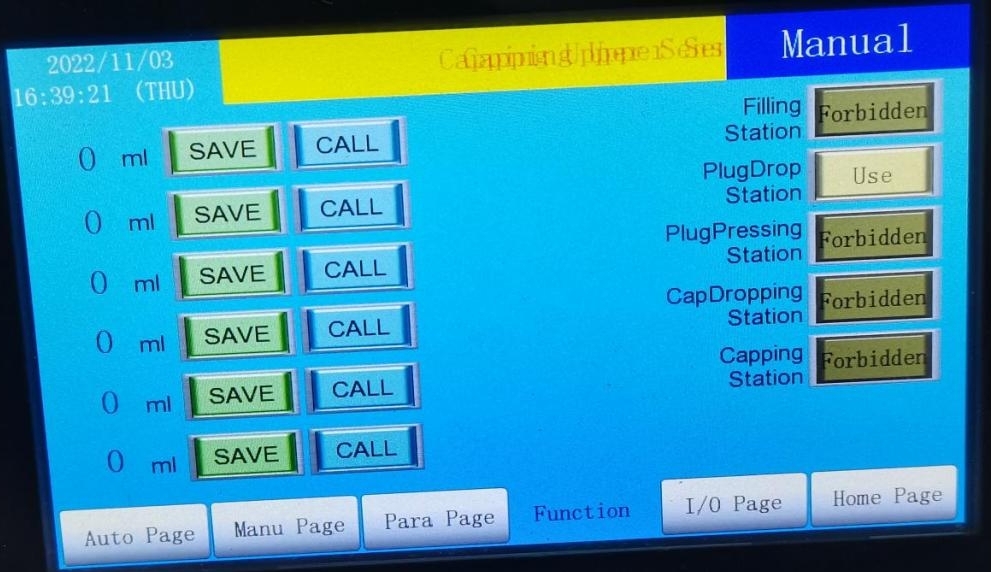
Designed for businesses with diverse product lines, this page focuses on saving and retrieving parameter settings:
Users can save equipment parameters (e.g., filling volume, capping torque) for different bottle types or products as independent recipes. When switching products, simply retrieve the corresponding recipe instead of reconfiguring parameters, significantly improving operational efficiency.
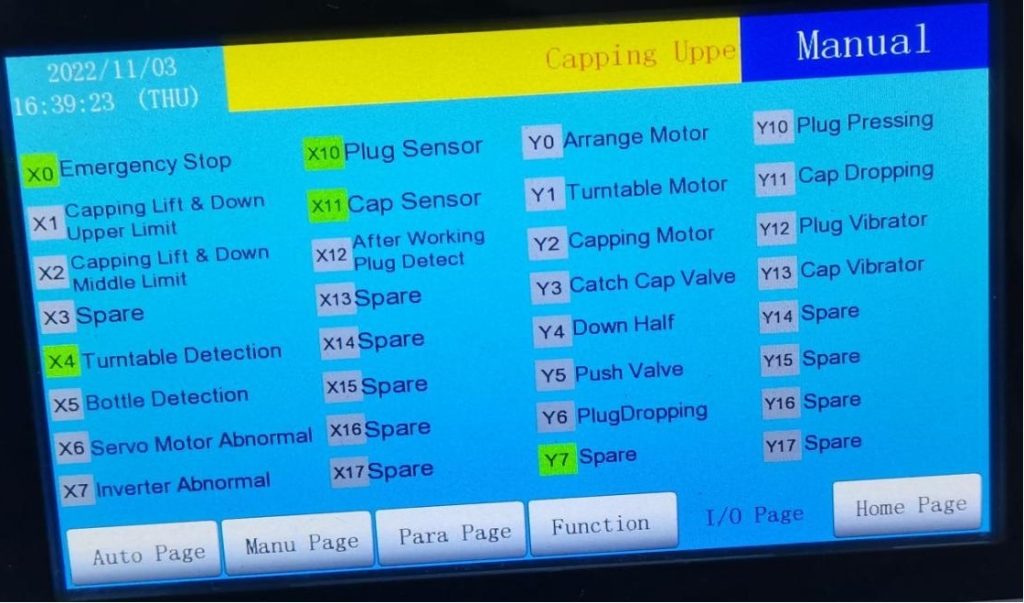
6、Input/Output Page
Used for rapid troubleshooting and status monitoring, this page displays the real-time working status of all sensors and actuators:
1.Sensor Monitoring: Shows the detection status of sensors (e.g., filling sensor X1, cap sensor X2) to quickly determine their functionality.
2.Actuator Monitoring: Displays the operational status of components such as the turntable (e.g., Y0) and capping servo motor (e.g., Y2). In case of equipment failure, this page helps quickly locate the faulty part, reducing downtime for maintenance.